See why you're losing time. Lap after lap.
A free iRacing comparison telemetry overlay and AI coach. It lines up every channel of your lap against a reference and shows you what to fix before the next corner.
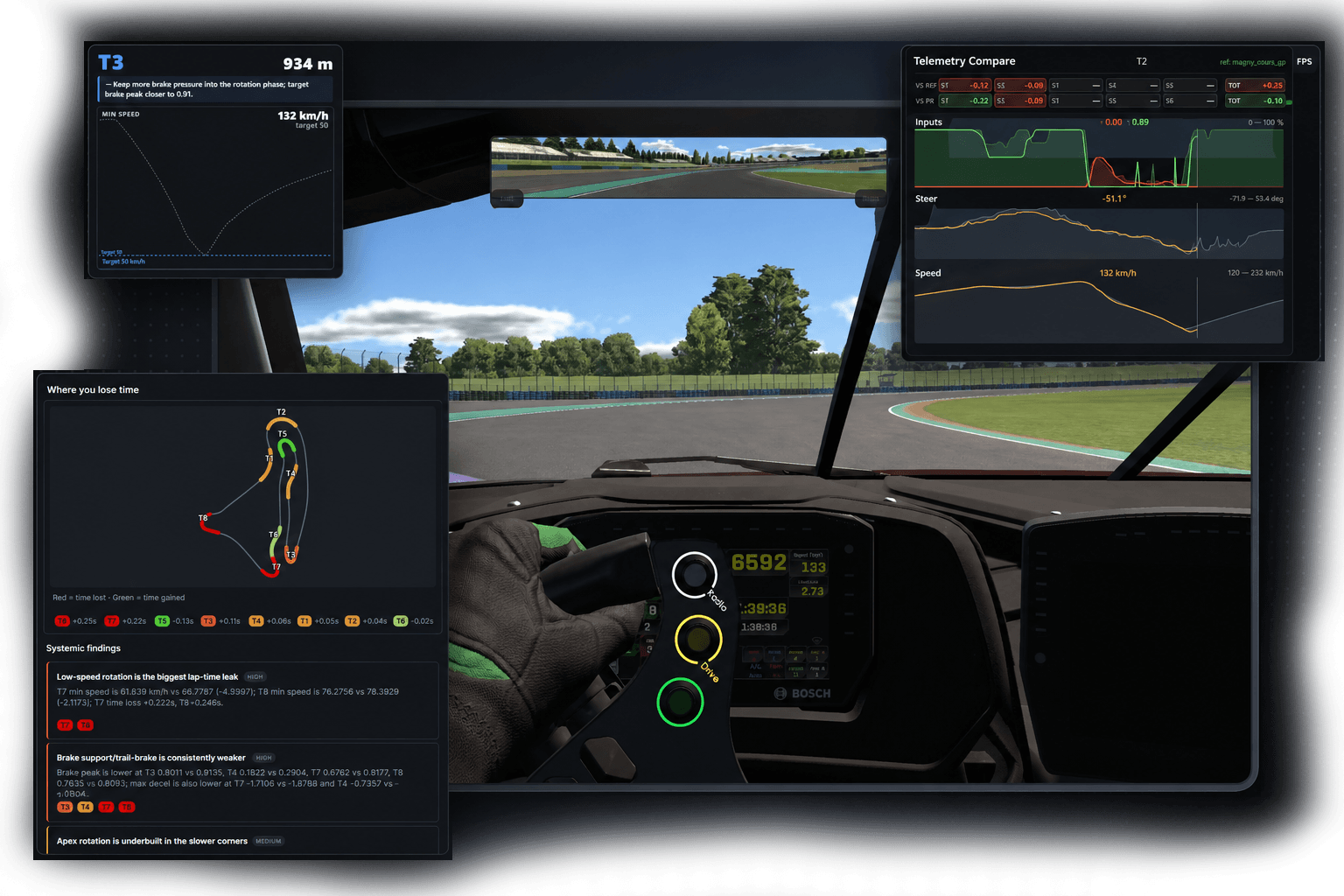
Every channel. Every corner. Versus the bests.
We compare everything against a reference lap from Garage 61: speed, brake pressure, throttle application point, steering angle, gear, RPM, and longitudinal and lateral G.
- ▸Reference laps from a Garage 61 CSV export
- ▸Live sector delta vs reference and personal best
- ▸Customizable: pick which channels to show, trace heights, and distance zoom levels
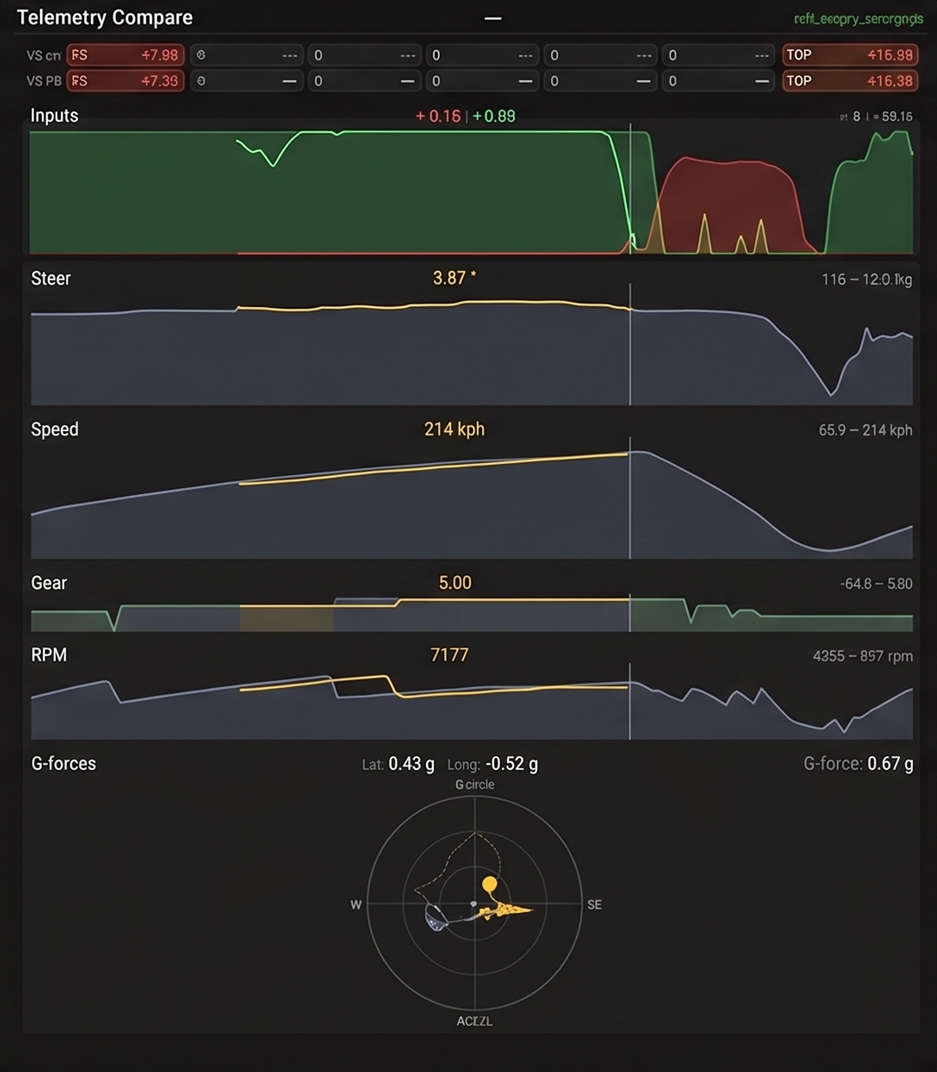
A countdown into every braking zone.
The comparison overlay beeps you into each corner – two countdown beeps, then a final beep at the reference's braking point. The pitch tells you how hard to brake, and your eyes never leave the track.
- ▸Timed countdown into every braking zone
- ▸Pitch tracks the reference's brake pressure
- ▸A separate beep for throttle-on
A coach that reads your data.
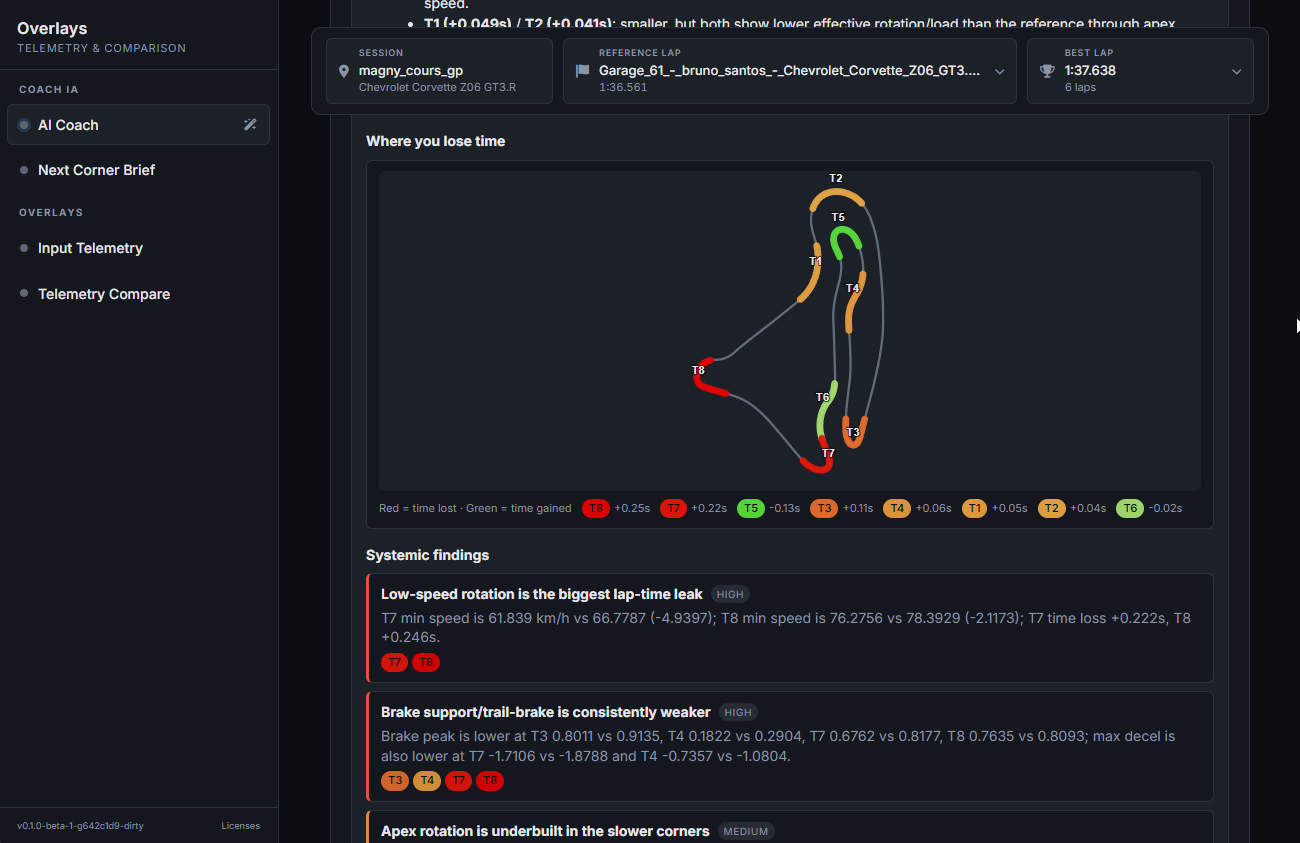
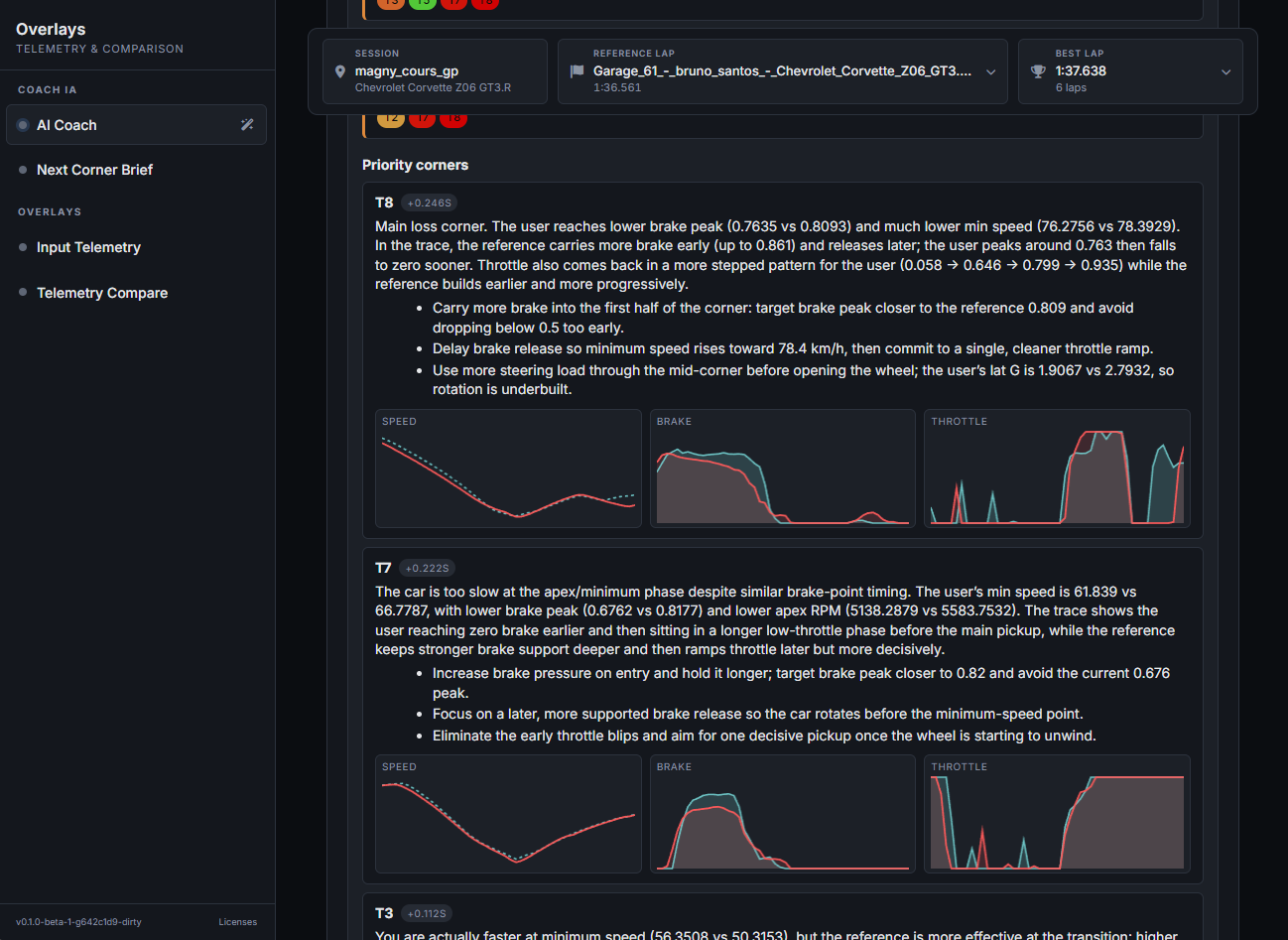
The AI Coach takes your best lap plus the reference and asks an LLM (via OpenRouter) for a structured report, not a freeform chat. You get systemic findings, per-corner diagnoses, and a focus prescription that feeds straight into the in-cockpit Next Corner Brief.
It's optional and bring-your-own-key: you plug in your own OpenRouter key and the requests go from your machine straight to them. Pick one of OpenRouter's free models and the coach costs nothing; pick a premium model and you pay them directly for what you use. Not affiliated with OpenRouter.
- ▸Bring your own OpenRouter key — free models included, or pay only for what you use on premium ones
- ▸Reports are JSON-structured, not freeform chat noise
- ▸The prescription drives the Next Corner Brief, so you act on it
Target parameters, a few hundred metres early.
From the AI analysis, we pull out the most important corners to focus on and surface them live during your laps: the brake point, target apex speed, gear, and the single thing to fix, shown just before you get there. It clears once you turn in, so it's out of the way when you need to focus.
- ▸Pops before each prescribed corner
- ▸Target apex speed, brake reference, gear, and the single coaching focus
- ▸Based on the AI analysis
Throttle, brake, clutch and steering, on screen.
This project started as a fork of rah-iracing-overlay. Its input overlay (pedal bars and a steering-wheel mirror that track your real inputs) is inherited here, untouched. Thanks to its creator, Raúl Arcos, for the base the rest of this is built on.
- ▸Throttle, brake, clutch bars + steering-wheel mirror
Three steps to get going.
Install
Download the installer and run it. No admin rights, no account.
Import a reference
Drop in a Garage 61 CSV to compare against.
Drive
Pick your combo and reference in the session bar; every overlay reads from there.
Optional: paste a free OpenRouter key in the AI Coach settings to unlock coaching reports — pick a free model and it costs nothing.